Park Silhouette Set: A Practical Guide to Using Outdoor Scene Vectors Effectively
Visual storytelling relies heavily on the ability to set a scene quickly and clearly. Whether you are designing a website header, creating a brochure for a local community event, or developing assets for a mobile game, the background elements often dictate the mood before the viewer even processes the main subject. This is where a high-quality Park Silhouette Set becomes an invaluable resource. These graphic illustrations, featuring trees, benches, lampposts, and other park elements, offer a clean, black-and-white aesthetic that blends seamlessly into diverse design projects. However, simply downloading a bundle of vectors is not enough. Many creators overlook critical details regarding file formats, scalability, and compositional balance, leading to wasted time and subpar results.
Understanding the Versatility of Park Scene Silhouettes
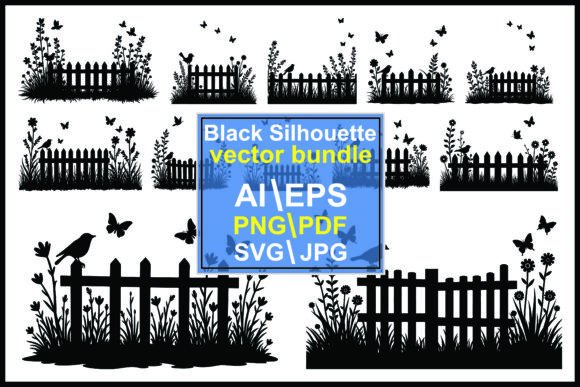
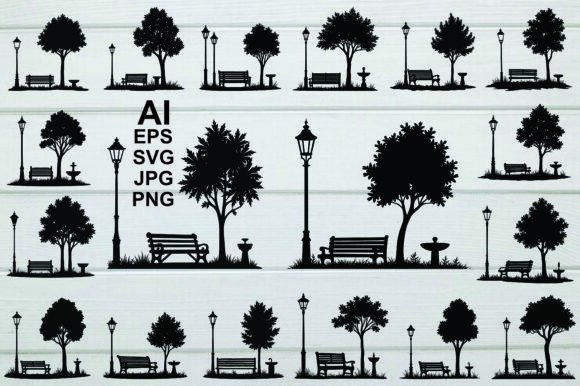
A park silhouette illustration is more than just a clipart image; it is a flexible design element that communicates "outdoors," "nature," and "public space" instantly. The stark contrast of black silhouettes against a white background allows for easy integration into various color schemes. You can overlay these graphics on photographs, use them as masks for text, or incorporate them into complex vector landscapes. The inclusion of specific items like vintage lampposts, ornamental fountains, bird baths, and foliage adds depth and narrative to the scene. For entrepreneurs and marketers, these elements help establish a sense of place without the visual clutter of detailed photography. For educators and bloggers, they provide simple, recognizable icons that enhance readability and engagement.
Common Mistakes When Selecting and Using Vector Bundles
Despite their apparent simplicity, working with silhouette bundles requires attention to detail. Here are common pitfalls that designers, from beginners to professionals, often encounter, along with practical advice on how to avoid them.
Ignoring File Format Compatibility
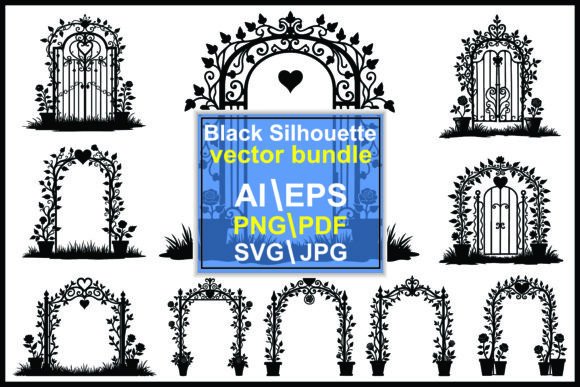
One of the most frequent errors is downloading a bundle without verifying the included file types. A comprehensive Park Silhouette Set should offer versatility. If you receive only raster images like JPG or PNG, you limit your ability to scale the graphics without losing quality. Raster files pixelate when enlarged, making them unsuitable for large-format prints like banners or billboards. Conversely, if you lack the software to open AI, EPS, or SVG files, you may find yourself stuck with unusable assets.
The Better Approach: Always check that the bundle includes vector formats (AI, EPS, SVG) alongside raster options (JPG, PNG). Vector files allow infinite scalability, ensuring your park bench or tree remains crisp whether it is two inches or twenty feet wide. Ensure you have access to software like Adobe Illustrator, Inkscape, or a web-based SVG editor to manipulate these files effectively. If the bundle comes in a compressed ZIP file, use reliable extraction tools like WinZip, WinRAR, or your operating system’s built-in extractor to ensure all five format types are intact before starting your project.
Overlooking Compositional Balance
Another common mistake is treating silhouette elements as isolated stickers rather than parts of a cohesive landscape. Placing a dense cluster of trees next to a sparse bench without considering visual weight can create a disjointed and amateurish look. Beginners often forget that silhouettes rely on negative space. Crowding too many elements—such as lampposts, foliage, and garden features—into a small area eliminates the breathing room necessary for a clean graphic design.
The Better Approach: Study the hierarchy of your scene. Use larger elements like mature trees or fountains as anchors, and smaller details like bird baths or street lights as accents. Maintain consistent spacing between objects to mimic the natural rhythm of an urban park or garden. Remember that the goal is a stylized, decorative effect, not a photorealistic replication. Simplify the arrangement to keep the design element effective and visually appealing.
Misjudging the Style Consistency
Not all silhouettes are created equal. Some sets feature rough, hand-drawn edges, while others offer sharp, geometric lines. Mixing incompatible styles within a single project creates visual discord. For instance, pairing a highly detailed, ornate vintage lamppost with a simplistic, blocky tree can confuse the viewer and dilute the professional quality of the work.
The Better Approach: Before integrating any asset, evaluate its stylistic attributes. Does the line weight match your other design elements? Is the level of detail consistent? A well-curated Park Silhouette Set will maintain a uniform aesthetic across all its components, from the grass textures to the park benches. Stick to one style per project to ensure a polished, cohesive final product.
Practical Tips for Maximizing Utility
To get the most out of your outdoor illustration resources, consider these practical steps during your workflow.
- Organize Your Assets: Once you extract the ZIP file, sort the formats into separate folders. Keep your SVGs for web development, AI/EPS for print design, and PNGs for quick mockups. This saves time when switching between different project requirements.
- Customize Colors: While black and white is classic, do not hesitate to experiment. Change the fill color of your silhouettes to match your brand palette. A deep navy or forest green can add sophistication while retaining the clarity of the silhouette form.
- Layer for Depth: Create a sense of perspective by layering elements. Place larger, darker silhouettes in the foreground and lighter, smaller ones in the background. This technique adds dimension to your outdoor scene without sacrificing the clean, graphic nature of the design.
- Check Licensing Terms: Even if a bundle claims to be for "any purpose," always verify the license. Ensure you understand whether attribution is required or if there are restrictions on resale. Clear understanding prevents legal issues down the line.
Evaluating Quality Before Commitment
Before downloading or purchasing a Park Silhouette Set, inspect preview images closely. Look for clean paths in the vector previews—no stray anchor points or jagged edges. Check that the elements are distinct and easily separable. A high-quality bundle will allow you to edit individual components, such as moving a bench independently from a tree. Avoid sets where elements are flattened into a single uneditable image, as this severely limits your creative flexibility.
Additionally, consider the variety within the set. Does it include enough diversity to build multiple scenes? A robust collection should offer various tree shapes, different styles of benches, and multiple lighting fixtures. This variety ensures you can create unique compositions without needing to source additional assets elsewhere.
Final Thoughts on Design Efficiency
Using a pre-made silhouette bundle is a smart decision for anyone looking to streamline their design process. It eliminates the need to draw complex shapes from scratch, allowing you to focus on layout, typography, and messaging. By avoiding common mistakes related to file formats, composition, and style consistency, you can leverage these graphic elements to create professional, engaging visuals. Whether you are a freelancer crafting a client proposal or a hobbyist designing a personal blog, a well-chosen Park Silhouette Set provides the foundational building blocks for beautiful, nature-inspired designs. Take the time to organize, customize, and compose your elements thoughtfully, and your final output will reflect both efficiency and artistic integrity.